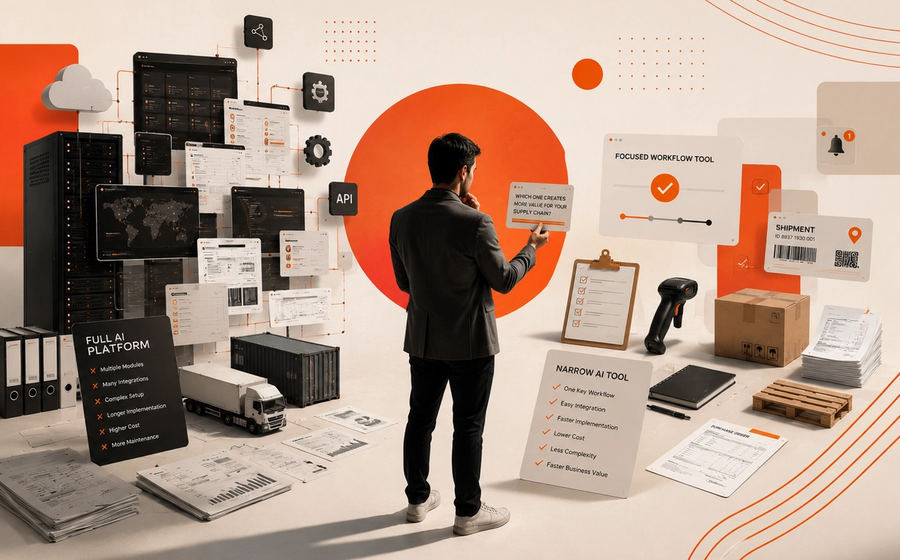
Most AI automation fails because teams start with the model instead of the workflow boundary.
That is the core mistake. Business owners want outcomes. Operators want reliability. Developers need a system they can control. A single model asked to “handle everything” usually creates brittle automation, unclear permissions, and messy failure modes.
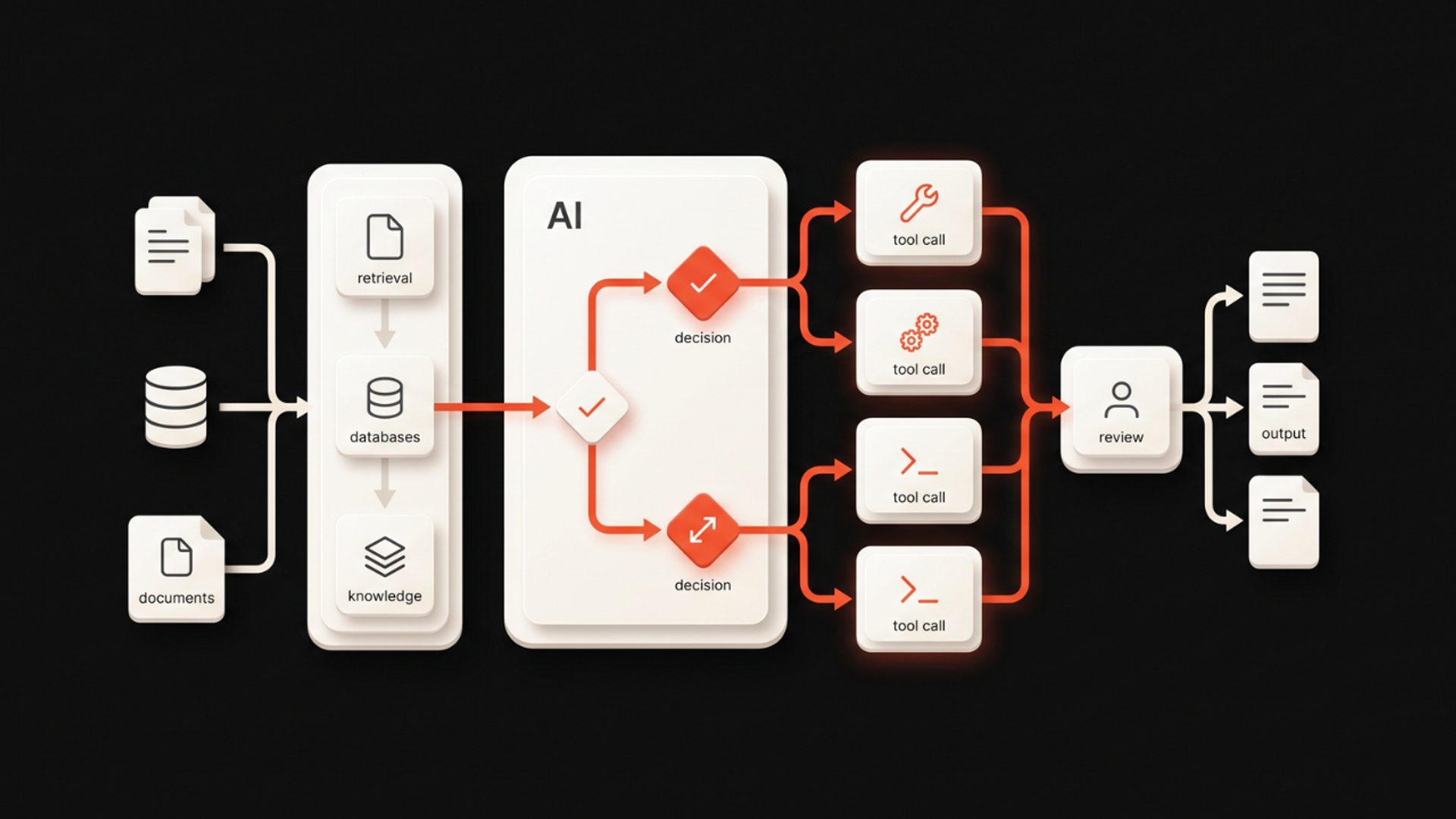
The better pattern is simple: combine retrieval, tool calling, and human review inside a bounded workflow. Use RAG to ground the model in the right context. Use tool calling to let it take safe actions. Use human review where judgment or risk is high. That is the foundation of practical ai automation system design for real operations.
If you are building production AI workflows, this is the architecture that tends to hold up. It is also the kind of system Kumi Studio helps teams design through our AI Development Services.
The business problem: why AI automation breaks in production
A lot of teams begin with a broad goal like:
- “Let AI answer support tickets.”
- “Let AI process sales requests.”
- “Let AI update records in our internal systems.”
On paper, these sound efficient. In practice, they fail for predictable reasons.
The model does not know:
- which information is current,
- which tools it is allowed to use,
- when to stop and ask for help,
- what a “good enough” action looks like,
- how to recover when a step fails.
So the business ends up with one of two outcomes:
- A demo that looks impressive but cannot be trusted.
- A half-working system that still needs humans to fix everything.
The issue is not just model quality. It is system design.
That is why the shift from demo-stage AI to production workflows is happening now. Teams are realizing that the real challenge is permissions, integration design, and failure handling—not just prompt quality.
The core idea: bounded workflows beat open-ended agents
A bounded workflow gives the model a defined role.
Instead of asking the model to “handle the process,” you give it one step at a time:
- Retrieve the right context.
- Decide whether a tool should be called.
- Execute only approved actions.
- Route uncertain cases to a human.
- Log the result.
This matters because business workflows are not free-form conversations. They have rules, states, exceptions, and accountability.
A good AI automation workflow does not try to replace the process. It fits inside the process.
That is the practical difference between experimentation and implementation.
A simple architecture for AI automation systems
If you want the simplest useful version of this workflow, use four layers:
1. Context layer: retrieval
The model should not guess from memory when the answer depends on company data.
Use RAG to pull from:
- policies,
- product documentation,
- CRM notes,
- order history,
- support articles,
- internal runbooks.
This gives the model grounded context before it responds or acts.
2. Decision layer: reasoning with constraints
The model decides what to do next, but only within a narrow scope.
Examples:
- answer directly,
- ask for more information,
- call a tool,
- escalate to a human.
This is where many teams overbuild. You do not need the model to think indefinitely. You need it to choose the next safe step.
3. Action layer: tool calling
Tool calling is what makes the system useful.
Instead of asking the model to “update the record,” it can call a defined function such as:
create_ticketlookup_customerdraft_replycheck_inventoryschedule_follow_up
This makes the automation auditable and testable. It also keeps the model away from direct system access it should not have.
4. Review layer: human-in-the-loop
Some actions need approval.
This is especially true when:
- money is involved,
- customer trust is at stake,
- legal or compliance risk exists,
- the model has low confidence,
- the request is ambiguous.
Human review is not a weakness. It is a design choice that makes automation safer and easier to adopt.
Step-by-step framework for developers
Here is a practical sequence for building this kind of system.
Step 1: Define the workflow boundary
Start with one process, not ten.
Ask:
- What is the input?
- What is the expected output?
- What decisions can the model make?
- What actions can it take?
- Where must a human approve?
If the workflow cannot be drawn clearly, it is too broad.
Step 2: Separate retrieval from action
Do not mix document search with system changes.
First, retrieve relevant context. Then, decide on the next step. Only after that should the system call tools.
This separation reduces hallucinations and makes debugging much easier.
Step 3: Design tool permissions carefully
Tool access should be explicit.
For example:
- read-only tools for lookup,
- write tools for approved updates,
- restricted tools for sensitive operations,
- no direct access to everything by default.
This is one of the most important parts of custom AI application development. Safe automation is usually built through constraint, not freedom.
Step 4: Add confidence thresholds and fallbacks
The model should not always act.
Create rules such as:
- if confidence is low, ask a question,
- if data is missing, stop and request input,
- if the action is high-risk, route to review,
- if a tool fails, retry once and escalate.
Good automation is designed for failure, not just success.
Step 5: Log every decision
You need an audit trail.
Track:
- what context was retrieved,
- what the model decided,
- which tool was called,
- what changed in the system,
- whether a human intervened.
This makes the workflow easier to improve and easier to trust.
Step 6: Test real edge cases
Do not only test happy paths.
Test:
- incomplete requests,
- conflicting data,
- duplicated records,
- permission failures,
- slow APIs,
- outdated documents.
Production systems fail at the edges. That is where you learn whether your automation is real.
What this means in practice
For business owners, this changes the question.
The question is not “Can AI do this task?” The question is “Which part of the workflow can AI safely own?”
For operators, the priority becomes consistency. A well-designed AI automation system should reduce manual follow-up, not create new cleanup work.
For developers, the technical challenge is no longer just prompt engineering. It is orchestration:
- retrieval,
- tool selection,
- state handling,
- permissions,
- observability,
- fallback logic.
That is why many teams need more than a model vendor. They need implementation support from people who understand workflows, systems, and business constraints.
That is also where Kumi Studio’s AI Automation Services fit in: turning a workflow concept into something that can actually run inside your stack.
A practical example: support triage
Imagine a support team that wants AI to handle incoming requests.
A weak design says:
- “Let the model reply to every email.”
A stronger design says:
- Retrieve customer history and relevant policies.
- Classify the request type.
- Draft a response.
- Call a tool to check order status if needed.
- Route refund requests above a threshold to human review.
- Send the reply only after validation.
This is not “more AI.” It is better workflow design.
And that is usually what makes the difference between a pilot and something a team can trust.
Common mistakes to avoid
Letting the model directly control too much
If the model can write, delete, approve, and notify without boundaries, you will eventually have a problem.
Skipping retrieval
Without grounded context, the model fills gaps with guesswork.
Building for the demo, not the exceptions
Most business workflows are defined by exceptions. If you do not design for them, adoption stalls.
Ignoring permissions
Safety is not a policy slide. It is an architectural decision.
Over-automating too early
Some steps should stay human-led until the workflow matures.
What stack should I use to build this?
There is no single best stack. Choose the stack that matches your team and your system constraints.
A practical setup usually includes:
- a model provider with tool calling support,
- a retrieval layer for internal documents,
- a vector store or search index,
- an orchestration layer for workflow logic,
- API connectors for business systems,
- logging and monitoring,
- human review queues for flagged cases.
If your team is already on a cloud platform, align with the tools you already run well. Google Cloud, AWS, and similar ecosystems are all improving support for production AI workflows, agent tooling, and cost tracking. The best stack is the one your team can operate, secure, and maintain.
How do I connect the tools safely?
Use the principle of least privilege.
That means:
- give read access before write access,
- restrict each tool to one job,
- validate inputs before execution,
- require approval for sensitive actions,
- keep credentials outside the model,
- log every tool call.
Do not let the model invent actions. It should choose among known tools with known permissions.
This is one of the biggest differences between a chatbot and a production workflow.
What is the simplest architecture for this workflow?
The simplest useful architecture is:
Retrieve → Decide → Tool call → Review → Log
That is enough for many business workflows.
You do not need a complex multi-agent system to get started. In fact, simpler systems are easier to debug, safer to deploy, and more likely to survive contact with real operations.
Key takeaways
- AI automation works best when it is designed around workflow boundaries, not broad model behavior.
- RAG, tool calling, and human review solve different problems and should be combined deliberately.
- The real implementation challenge is permissions, failure handling, and observability—not just prompting.
Related reading
A practical next step
If you are planning an AI workflow and want it built for real operations, start by mapping one process boundary clearly.
Define:
- the input,
- the output,
- the tools,
- the approval points,
- the failure cases.
If you want help turning that into a working system, Kumi Studio can help design and implement it through our AI Development Services.