Most AI projects fail not because the model is weak, but because the workflow has no real control plane.
That is the core mistake many business owners still make when they move from AI demos to production. They treat an agent like a chatbot with extra tools. In practice, production AI is closer to a distributed system: tasks need boundaries, tool access needs rules, state needs to persist, and failures need fallbacks.
If you are asking how developers build AI automation systems, the answer is not “use a bigger prompt.” The better answer is to design an orchestrated multi-agent workflow with clear roles, explicit permissions, evaluation points, and human review where it matters.
This post explains the simplest production-ready pattern for multi agent systems development. It is written for business owners, operators, and developers who need something that can actually be deployed, monitored, and improved.
The real business problem
Many AI initiatives stall for the same reason:
- one model is asked to do too many things
- tool access is too broad
- outputs are not checked before execution
- state is scattered across prompts and chat history
- no one knows how to measure quality
- when something breaks, there is no clear recovery path
This creates systems that look impressive in a demo and become fragile in real workflows.
For teams exploring custom ai application development or ai development services, the architectural question matters more than the model choice. The best system is not the most autonomous one. It is the one that can survive error, ambiguity, and human oversight.
The simplest production architecture
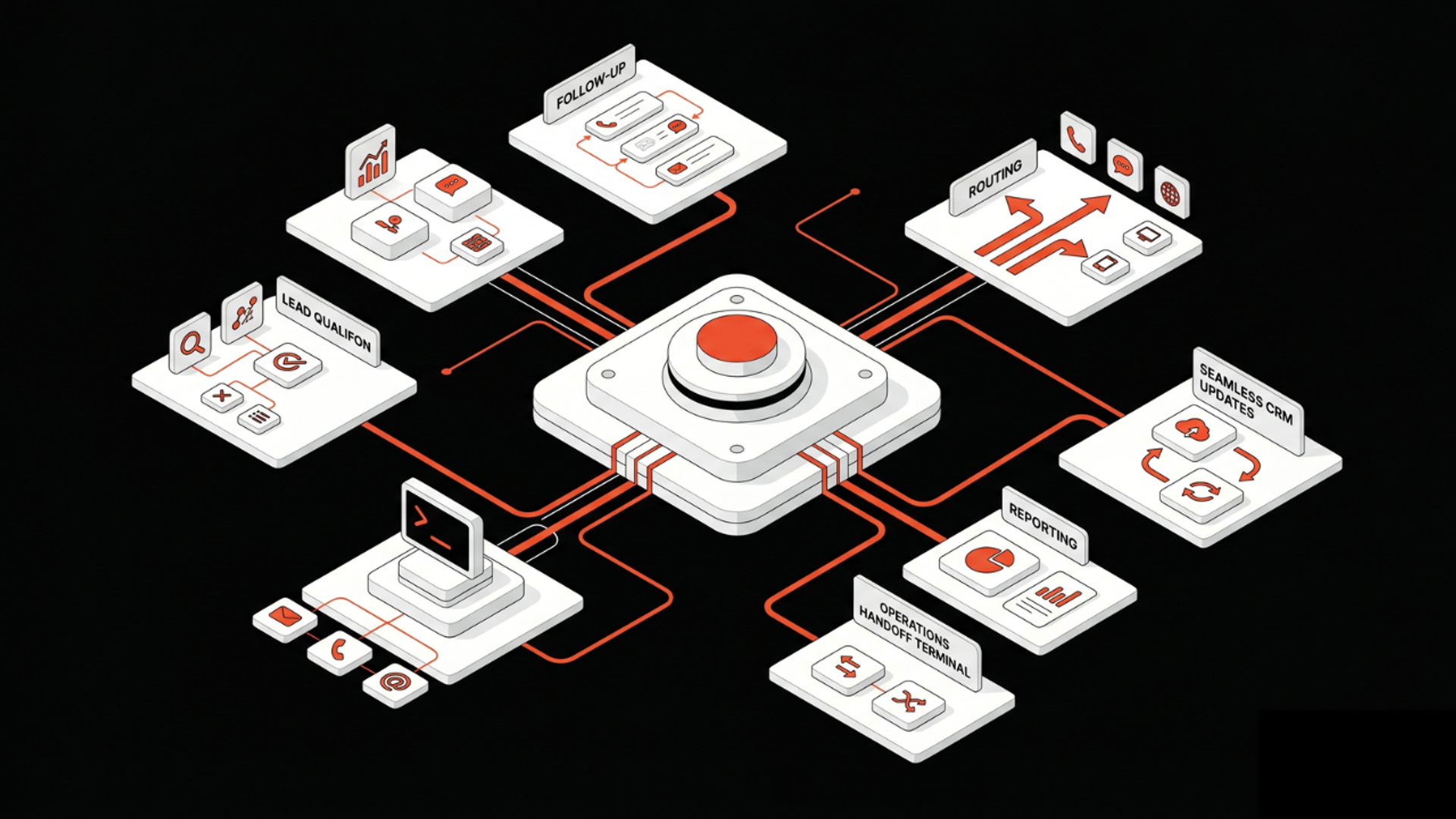
A reliable multi-agent system usually has five parts:
- Orchestrator
- Specialist agents
- Tool layer
- State store
- Human fallback
Think of the orchestrator as the workflow manager. It decides what happens next, not the model itself.
The specialist agents do narrow jobs. For example:
- intake and classify
- retrieve information
- draft an answer
- validate the result
- trigger an action
The tool layer connects the system to business software such as CRM, ticketing, docs, databases, payment systems, or internal APIs.
The state store keeps track of what has already happened, what is pending, and what should not happen twice.
The human fallback catches exceptions, sensitive actions, or low-confidence outputs.
This pattern is simple, but it is usually enough.
Why business owners get the architecture wrong
The most common misunderstanding is to think AI adoption is mainly a model decision.
It is not.
It is a workflow decision.
A business does not need an agent that “does everything.” It needs a system that can:
- follow a process
- respect approvals
- use tools safely
- keep records
- recover from failure
- hand off when confidence is low
That is why many companies that buy ai agent development services end up disappointed. They ask for autonomy before they have designed control.
The better starting point is a workflow first, agent second approach.
A practical framework for production AI workflows
Here is a useful step-by-step pattern for developers building AI automation.
1. Define the business task, not the model task
Start with the real workflow.
For example:
- triage customer requests
- prepare sales follow-ups
- summarize internal tickets
- route invoices for review
- extract data from contracts
Write down the inputs, outputs, constraints, and failure modes.
If you cannot define the process in business terms, the architecture will drift.
2. Split the workflow into narrow responsibilities
Do not ask one agent to reason, retrieve, decide, and execute.
Break the job into steps:
- classify
- gather context
- draft
- verify
- act
This is where multi-agent systems development becomes useful. Each agent can be designed for one job, with one toolset and one success metric.
3. Put orchestration outside the model
The model should not be the system controller.
Use a workflow layer or service that manages:
- task routing
- retries
- timeouts
- approvals
- branching logic
- escalation
This is the control plane your AI workflow needs.
Without it, the system becomes hard to audit and harder to trust.
4. Restrict tool permissions
Every agent should have only the tools it needs.
A retrieval agent should read, not write.
A drafting agent should not send emails.
A billing agent should require an approval step before execution.
This is one of the biggest differences between a prototype and a production system. Safe systems are not only intelligent. They are permissioned.
5. Store state explicitly
Do not depend on chat history as your source of truth.
Store:
- job status
- intermediate outputs
- tool results
- confidence flags
- approval states
- audit logs
This makes retries possible and prevents duplicate actions.
It also helps operators understand what happened when the workflow fails.
6. Add evaluation before release
You do not ship agentic systems without testing.
Use test cases that reflect real work:
- correct classification
- valid tool selection
- safe action approval
- grounded answer quality
- recovery from partial failure
AWS, Google Cloud, and Anthropic have all been pushing more serious tooling for evaluation, reasoning, and agent workflows. That trend matters because it reflects the real market shift: teams are moving from prompts to systems.
7. Include human fallback paths
Not every step should be autonomous.
Use human review for:
- legal or financial actions
- edge cases
- low-confidence outputs
- sensitive customer communication
- exceptions that break the normal flow
Good automation does not eliminate people. It makes their intervention more targeted.
What this means in practice
In practice, the best AI workflows are not impressive because they are fully autonomous.
They are impressive because they are boring in the right way.
They follow rules.
They ask for help when needed.
They log what happened.
They use tools only when allowed.
They keep moving even when one part fails.
That is the kind of system businesses can actually depend on.
For example, a customer support automation workflow might work like this:
- ingest the ticket
- classify urgency and topic
- pull account context
- draft a response
- check policy and tone
- send to human review if needed
- post the approved reply
- log the outcome
That is a multi-agent system, but it is also a governed workflow.
This is the level of design most teams need before they invest in wider custom ai application development.
Stack choices: what developers should use
There is no single best stack.
But a practical production stack usually includes:
- a workflow/orchestration layer
- one or more model APIs
- a retrieval layer if internal knowledge is needed
- database-backed state
- queueing for async tasks
- observability and logs
- permission checks
- evaluation tests
You do not need the most complex stack on day one.
If your use case is simple, start with:
- one orchestrator
- two or three specialist agents
- one state store
- a few approved tools
- human review for sensitive steps
That is often enough to ship a useful first version through ai automation services without overengineering.
If the workflow touches core operations, Kumi Studio’s AI Development Services can help design the system architecture before implementation gets expensive.
How to connect tools safely
Safe tool integration is mostly about limits.
Use these rules:
- authenticate every tool call
- validate all inputs before execution
- enforce role-based permissions
- separate read and write actions
- log every tool request and result
- require approval for irreversible actions
- add retry logic with idempotency keys where needed
A common failure pattern is giving an agent direct write access to business systems without a verification layer.
Do not do that.
Instead, route actions through a controlled service that checks policy, format, and user intent first.
That is the difference between automation and accidental damage.
A note on business value
The opportunity here is real.
Companies are not just buying AI because they want generative output. They want faster cycle times, fewer handoffs, cleaner operations, and better use of internal knowledge.
But the value only shows up when the workflow is designed well.
That is why the smartest implementation teams are less focused on “Which model is best?” and more focused on:
- where the workflow starts
- where judgment is required
- which steps can be automated
- which steps need review
- how to measure success over time
If you are still mapping the workflow, Kumi Studio’s AI Automation Services are designed for exactly this kind of implementation work.
Key takeaways
- Multi-agent AI works best when each agent has one job, one permission set, and one clear success metric.
- Production readiness depends on orchestration, state, logging, and human fallback more than model power.
- The safest systems are built around business workflows, not around a single autonomous agent.