
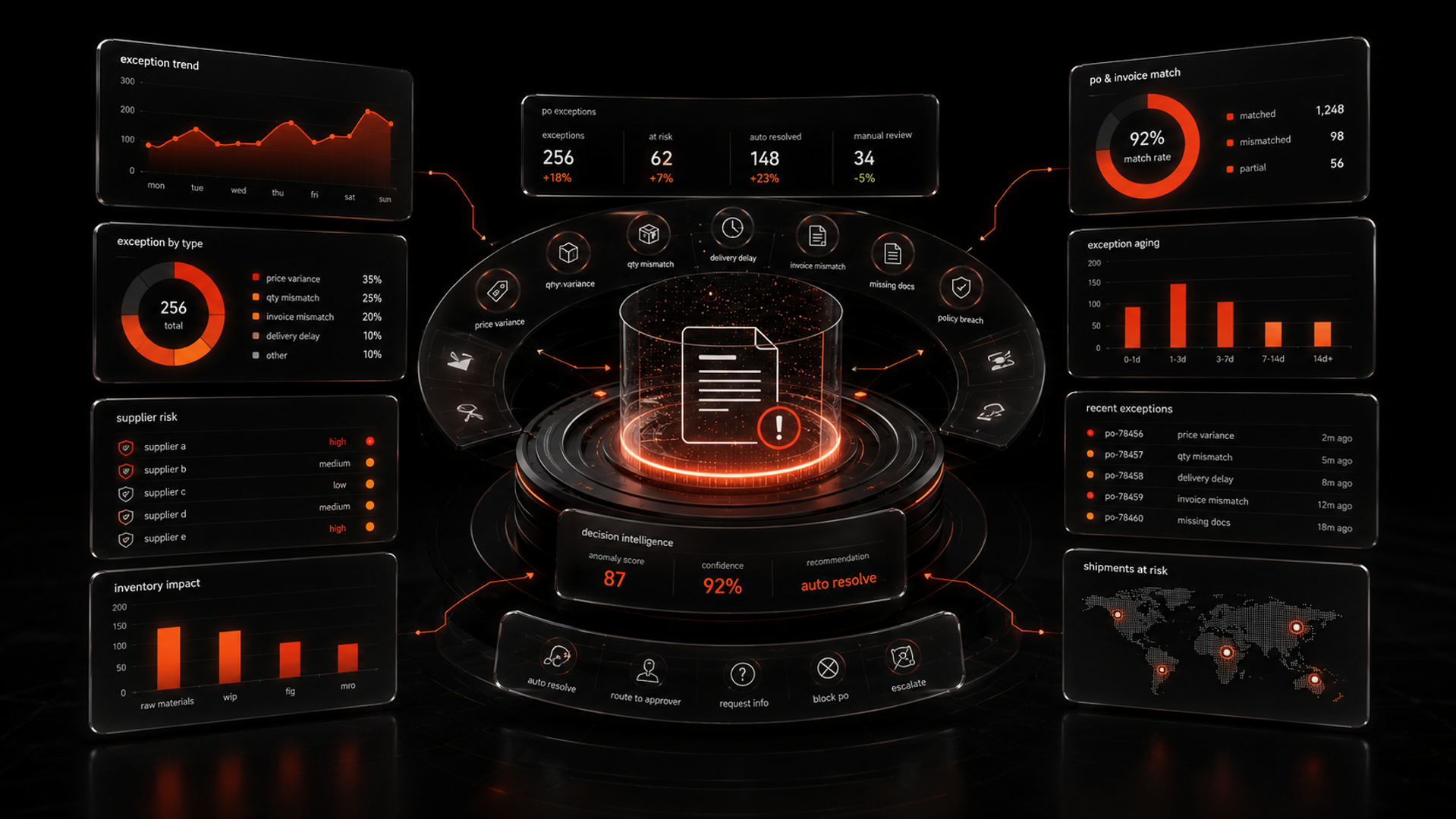
Most procurement teams do not need AI to create more documents. They need it to decide what to do when a purchase order, invoice, or shipment does not match.
That is why purchase order exception handling is one of the best first workflows for ai workflow automation. It is high-friction, rule-heavy, and full of repetitive decisions. It also creates hidden costs: delayed approvals, vendor follow-ups, manual backlog, and preventable escalations.
The thesis is simple: the highest-value AI automation in supply chain often starts with exception handling, because that is where teams lose time, create delays, and accumulate manual work. If you design the workflow with clear decision boundaries and human fallback, AI can triage routine mismatches, route cases, and draft next actions without replacing the people who own the process.
For teams evaluating ai automation services or a business workflow automation ai project, this is a practical place to start.
Why purchase order exceptions are a good AI starting point
A purchase order exception happens when something in the buying process does not line up. Common examples include:
- quantity mismatch
- price mismatch
- missing approval
- incorrect supplier details
- late shipment
- missing receipt
- invoice does not match PO
Today, many teams handle these cases through email threads, spreadsheets, and tribal knowledge. That works until volume grows or staff gets thinner. Then exceptions pile up, and the team spends more time chasing context than resolving the issue.
This is exactly the kind of workflow where AI can help first.
Not by making the decision alone.
By doing the work around the decision: reading the case, identifying the likely issue, checking policy, pulling the right data, and routing it to the right owner with a suggested next step.
That is the difference between task automation and workflow automation. A useful system does not just summarize a document. It moves the case forward.
The workflow to automate: from exception to resolution
Before you build anything, define the workflow as a series of decisions.
A practical PO exception process usually looks like this:
- A PO, invoice, or shipment event enters the system.
- A mismatch is detected.
- The system gathers context from ERP, procurement, vendor records, and policy.
- The exception is categorized.
- The case is routed to the right owner.
- A response is drafted or a next action is triggered.
- A human reviews anything outside the allowed threshold.
- The outcome is logged for future learning.
This matters because AI should not be placed at the center of a vague process. It should sit inside a clearly designed one.
A useful rule: if your team cannot describe the exception in one sentence, the system is not ready for automation.
Start by mapping three things:
- Inputs: PO data, invoice data, shipment data, vendor master data, policy rules
- Decisions: match / mismatch, auto-resolve / escalate, who owns it
- Outputs: route, draft message, hold payment, request clarification, close case
That map becomes the foundation for ai workflow automation.
A practical build framework for AI exception handling
Use this four-part framework when designing the workflow.
1) Classify the exception
The first job is not resolution. It is classification.
AI can read the case and sort it into a category such as:
- price variance
- quantity variance
- missing approval
- duplicate invoice
- data quality issue
- vendor compliance issue
This is a strong use case for a language model plus rules. The model can interpret the narrative. The rules can enforce boundaries.
For example, if the shipment is late by one day but the vendor has a grace clause, the system can classify it as low priority. If the mismatch hits a policy threshold, it can escalate immediately.
This is where many teams get value early. They reduce the time spent figuring out what the issue is before anyone even starts fixing it.
2) Pull the right context
AI should not guess. It should retrieve the facts.
The system should gather only the data needed to act:
- purchase order details
- invoice fields
- receiving record
- vendor contract terms
- approval history
- prior case notes
- internal policy references
This is where workflow design matters more than model choice.
If the AI cannot access the right records, it will produce elegant guesses. That is not automation. That is risk with better wording.
A good implementation uses retrieval, not memory. It gives the model context from trusted systems, then asks it to support a decision.
3) Decide what can be automated
Not every exception should be automated. In fact, a strong system is selective.
Use three lanes:
- Auto-resolve: low-risk, policy-safe cases
- Draft and route: cases where AI prepares the next action for human review
- Escalate immediately: high-value, ambiguous, or policy-sensitive exceptions
This is the most important design choice in the whole workflow.
The goal is not to automate everything. The goal is to automate enough to remove repetitive work while protecting judgment where it matters.
A practical boundary example:
- AI may draft a vendor email for a quantity mismatch under a small threshold.
- AI should not approve a payment hold without review.
- AI should not override a policy exception tied to legal or financial risk.
This is how teams avoid the common failure mode of over-automation.
4) Close the loop with human review
Every production workflow needs a fallback.
If the AI confidence is low, if the data is incomplete, or if the case falls outside policy, the system should hand off cleanly to a person.
That handoff should include:
- the exception category
- the supporting evidence
- the likely cause
- the recommended next action
- the reason it was escalated
This reduces the time operators spend reopening the same case or searching across systems.
It also creates a valuable data trail. Over time, you can see which exception types repeat, which vendors create the most noise, and which policies produce the most manual effort.
What this means in practice
In practice, a good PO exception workflow changes the work in three ways.
First, it removes low-value sorting. Teams no longer spend hours figuring out whether a mismatch is a pricing issue, a missing receipt, or a vendor data problem.
Second, it shortens the path to action. Instead of a human starting from scratch, the system routes the case with context and a draft response.
Third, it exposes process problems. Many exceptions are not really “AI problems.” They are data quality problems, policy problems, or coordination problems. A good automation layer makes those issues visible.
This is why teams that look for a quick software feature often end up needing AI automation services or a deeper implementation partner. The model is only one part of the system. The workflow, governance, integrations, and escalation logic are what make it useful.
If you are exploring this seriously, a service page like AI Automation Services is the right place to start because the real challenge is building the process, not just choosing a model.
What to build first, and what to avoid
Start with one exception type, not the entire procurement process.
A good first slice is a high-volume, low-risk case such as invoice-to-PO quantity mismatches or missing approval routing. These cases are repetitive, easy to label, and valuable enough to matter.
Avoid these mistakes:
- automating every exception category at once
- using AI without source data access
- letting the model decide outside policy
- skipping human review design
- measuring only speed, not resolution quality
If you need stronger system design or custom integration across ERP and procurement tools, AI Development Services may be the better fit. Some teams can use existing tools. Others need a custom workflow layer that fits their stack and controls.
For teams that need help scoping the right approach, contact Kumi Studio to discuss the workflow and implementation path.
Key takeaways
- The best first AI workflow in procurement is often exception handling, not document creation.
- AI should classify, route, and draft next actions, while humans handle policy-sensitive decisions.
- The real value comes from workflow design, integration, and fallback logic, not from the model alone.
Related reading
If your team is evaluating where ai workflow automation can create real operational value, purchase order exception handling is a strong place to start. Kumi Studio helps businesses turn AI ideas into working systems, with the workflow design and implementation discipline needed to make them actually useful.