
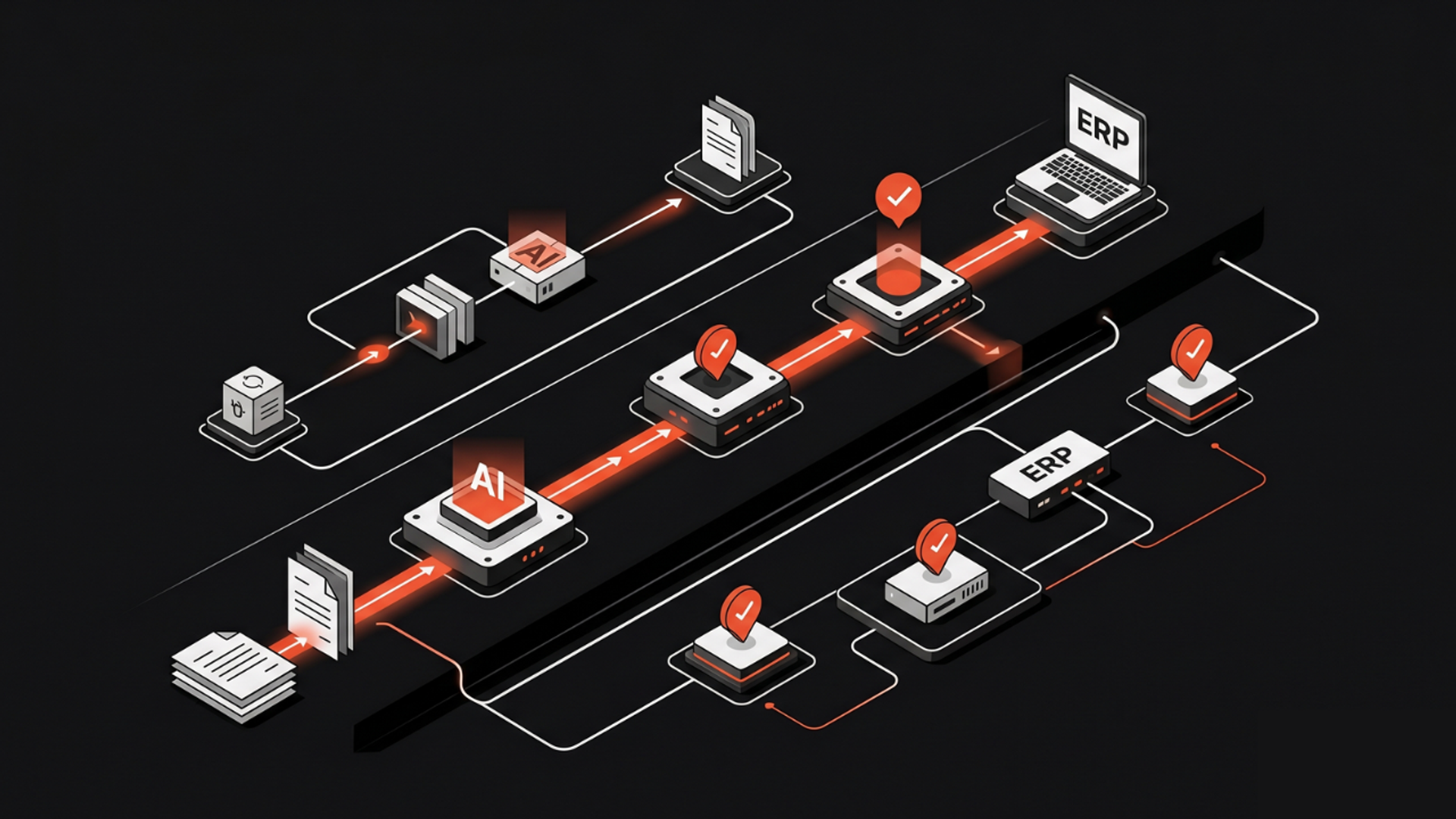
The real problem in invoice automation is rarely OCR. It is deciding what to do when the invoice is incomplete, inconsistent, duplicate, out of policy, or tied to the wrong purchase order.
If you want to implement AI workflow automation for invoice processing, the goal is not to "fully automate finance." The goal is to build a workflow that can extract invoice data, validate it against business rules, route exceptions, and involve a human only when needed. That is what makes automation usable in a real finance operation.
In this guide, you will see how to design, build, and govern an AI invoice workflow step by step. We will cover what to automate first, where human review still matters, and how teams can choose between a tool, a custom build, or AI automation services.
Why invoice processing is a good AI automation use case
Invoice processing is repetitive, rule-heavy, and expensive to do by hand.
It also has a hidden complexity that many teams underestimate. The easy part is reading the invoice. The hard part is deciding whether the invoice is valid, complete, matched, and payable.
That is why modern invoice automation is moving beyond plain OCR. A production-ready workflow needs three things:
- Document extraction to capture invoice fields.
- Validation logic to check those fields against policy and source systems.
- Exception handling so edge cases are reviewed instead of forced through.
This is where AI adds value. Not by replacing finance controls, but by reducing the manual work around them.
The right implementation mindset
Treat invoice automation as a workflow design problem, not just an AI model problem.
A good system should answer these questions:
- What data do we need from the invoice?
- What counts as a valid invoice?
- What should happen when data is missing?
- When should AI decide, and when should a person decide?
- How do we log every step for audit and review?
This is the difference between a demo and a production workflow.
A vendor can show you a smart document reader in minutes. A real finance workflow needs control, traceability, and error handling. That is why many teams use an ai automation agency or internal product team to connect the workflow to AP systems, approval logic, and governance.
Step-by-step: how to implement AI invoice processing
1. Map the current invoice workflow
Start with the process you already have.
Do not begin with tools. Begin with the actual flow:
- invoice received by email, portal, or scan
- invoice data entered into AP system
- invoice matched to PO or vendor record
- exceptions routed to finance
- approval sent
- payment released
Document where delays happen.
Look for repeated manual steps, not just volume. For example:
- retyping vendor names
- checking tax fields
- chasing missing PO numbers
- resolving duplicate invoices
- verifying policy thresholds
This tells you where AI will help most.
2. Define what “good” looks like
Before building, define the output.
For each invoice, specify the fields that matter:
- vendor name
- invoice number
- invoice date
- amount
- tax
- currency
- PO number
- line items
- payment terms
Then define acceptance rules.
Examples:
- invoice number must be unique
- total must match line items
- amount over threshold requires approval
- missing PO should trigger review
- vendor must match an approved record
This is important because AI is not the final authority. Business rules are.
3. Choose your extraction layer
The first automation layer is document extraction.
This can be done with:
- OCR for text capture
- AI document parsing for unstructured invoices
- layout-aware models for tables and line items
For many teams, extraction is where simple tools stop being enough. A basic OCR engine may read the invoice, but fail on non-standard formats, messy scans, or unusual layouts.
Use extraction to get structured data into your workflow. Do not let extraction be the whole workflow.
4. Add validation rules before AI decisions
This is the most overlooked part of business workflow automation AI.
Once the invoice is extracted, run it through validation rules before you let AI make any judgment.
Examples of rules:
- vendor exists in master data
- invoice date is within an allowed range
- PO number format is valid
- invoice total matches the sum of line items
- duplicate invoice check passes
- tax calculation falls within tolerance
These rules reduce risk and make the workflow more predictable.
AI should support exception detection and classification. It should not override basic controls without review.
5. Build an exception handling path
This is where the workflow becomes real.
Invoices will fail rules. That is normal.
Examples of exceptions:
- invoice is missing a PO
- vendor name is spelled differently than the record
- line item totals do not match
- invoice is partially unreadable
- amount exceeds approval limit
- invoice appears duplicated
For each exception, define a next step:
- auto-correct if confidence is high
- route to AP queue
- request vendor clarification
- send to manager approval
- hold payment until resolved
The best invoice workflows do not try to eliminate exceptions. They make exceptions easy to handle.
6. Add human review only where it matters
Human review should be targeted, not universal.
A finance reviewer should see:
- low-confidence extractions
- policy exceptions
- unmatched invoices
- invoices above threshold
- suspicious duplicates
- unusual vendor changes
They should not have to review every invoice.
This is where AI can save real time. It can triage the work, not just digitize it.
This also aligns with what we see in leading automation systems: the strongest workflows combine machine speed with human control.
7. Connect the workflow to finance systems
A workflow is only useful if it connects to the systems your team already uses.
Typical integrations include:
- email inbox or intake form
- ERP or AP platform
- vendor master data
- approval workflows
- document storage
- audit logs
This is usually where ai development services become relevant. If your invoice process needs custom logic, secure integrations, or internal controls, a custom build may be better than a standalone product.
8. Test with real invoices before full rollout
Do not test with perfect samples.
Use a mix of:
- clean invoices
- damaged scans
- multi-line invoices
- credit notes
- foreign currency invoices
- invoices with missing fields
- duplicate records
Measure how the workflow behaves in each case.
This matters because a production AI workflow must handle messy reality. Google Cloud recently highlighted how evaluation frameworks are essential when moving AI systems from prototype to production. That same principle applies here: if you cannot test exceptions, you cannot trust automation.
9. Set governance from day one
If the workflow touches finance, you need controls.
At minimum, define:
- who can approve exceptions
- which actions AI can take automatically
- how decisions are logged
- what data is retained
- what gets escalated
- how changes are reviewed
This protects auditability and makes adoption safer for finance leaders.
What this means in practice
In practice, AI invoice processing should not be designed as a single “smart” step.
It should be designed as a chain:
capture → extract → validate → classify exceptions → route review → approve or reject → log outcome
That structure gives you control.
It also gives you room to improve over time. Once the workflow is live, you can inspect failure patterns:
- which vendors create the most exceptions
- which fields fail extraction most often
- where humans spend the most time
- which rules create unnecessary manual work
That is how a finance workflow gets better after launch, not just at launch.
For many companies, the best path is to start with one workflow and expand later. A focused rollout often works better than a broad automation program. If you want help designing that first workflow, Kumi Studio’s AI Automation Services page explains how we approach practical implementation.
Key takeaways
- Start with the full invoice workflow, not just document extraction.
- Use AI for extraction and exception handling, but keep business rules explicit.
- Build human review into the process only for low-confidence or high-risk cases.
Related reading
Final thought
Invoice AI should make finance teams faster, not less accountable.
If you want to implement a workflow that is practical, auditable, and built around real operations, Kumi Studio can help design the system, connect the tools, and govern the automation from day one. If you are exploring ai workflow automation for finance, reach out here.